
AI reads it for you
Snap a paper receipt, pick a photo or import a PDF invoice. The shop, date, total, GST, ABN and line items are filled in for you, with notes on anything worth a second look.
Intelligent Receipt reads your receipts and invoices with AI, sorts them into the ATO's tax return items, tracks the GST and your bills, and has your tax return and BAS figures ready when you need them.
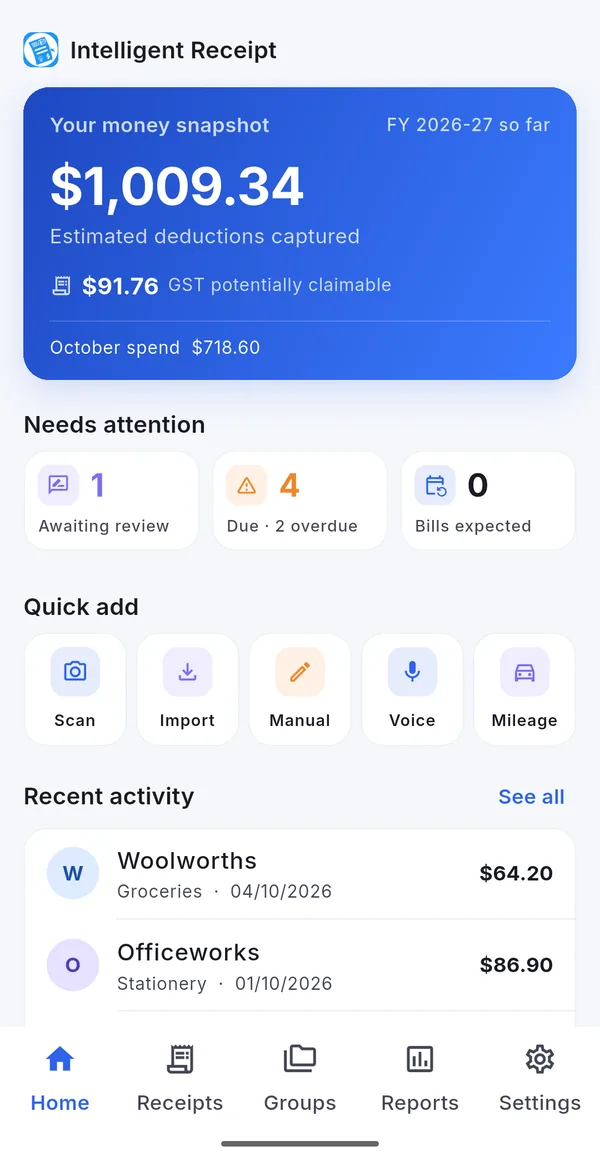
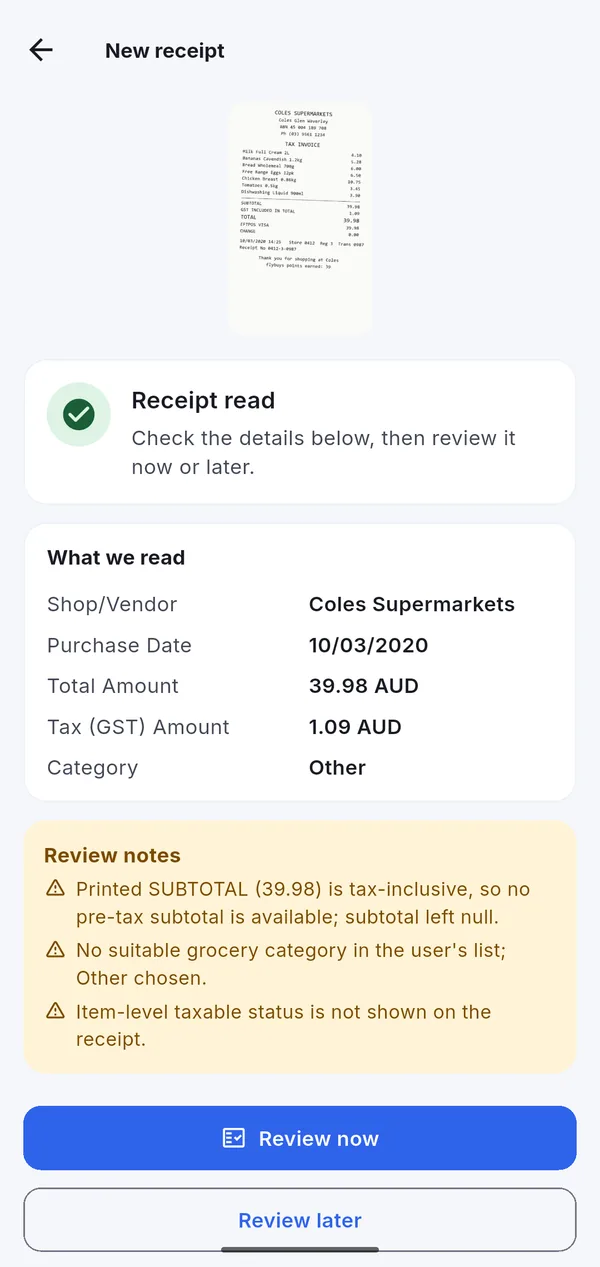
Most people lose hundreds of dollars a year in deductions because the receipt went missing or never got written down. Intelligent Receipt captures it in seconds and keeps it ready for your tax return.
Snap a paper receipt, pick a photo or import a PDF invoice. The shop, date, total, GST, ABN and line items are filled in for you, with notes on anything worth a second look.
Link a category to an ATO item once — Travel (Car) to D1, Office to D5 — and every receipt in it lands in the right place. Share a PDF or CSV with your accountant in one tap.
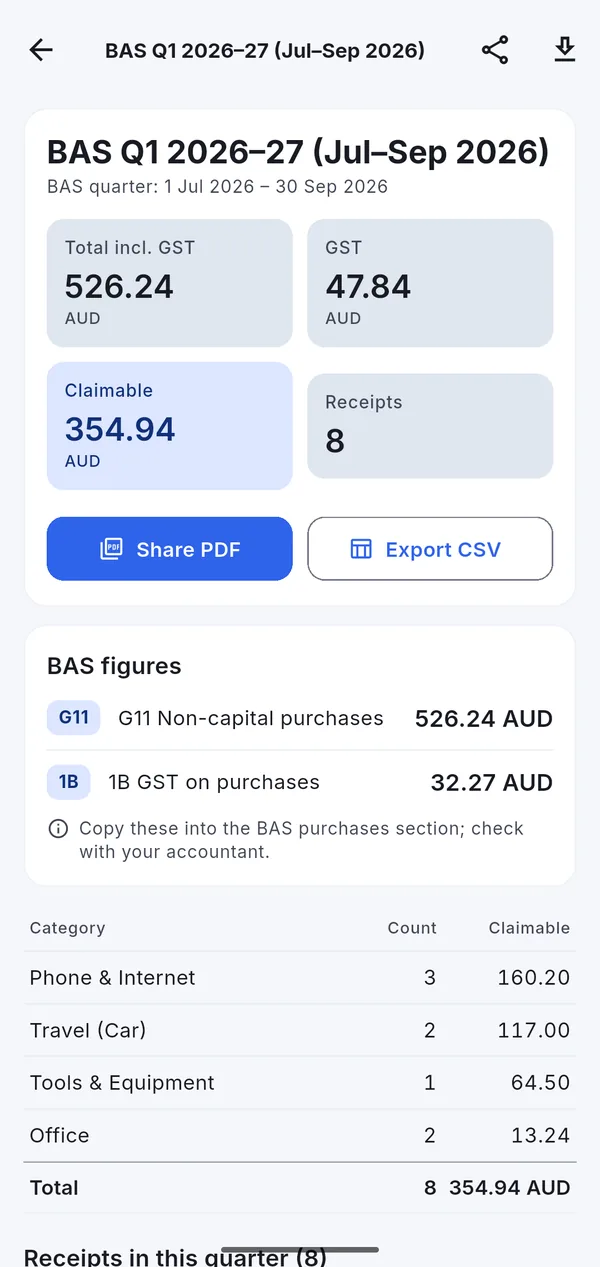
Every receipt tracks its GST and work-use share. Each quarter shows your G11 non-capital purchases and 1B GST on purchases, ready to copy into your BAS.
Get your own receipts address. Forward an Uber receipt, an online order or a PDF invoice and it becomes a receipt in the app — no download, no screenshot.
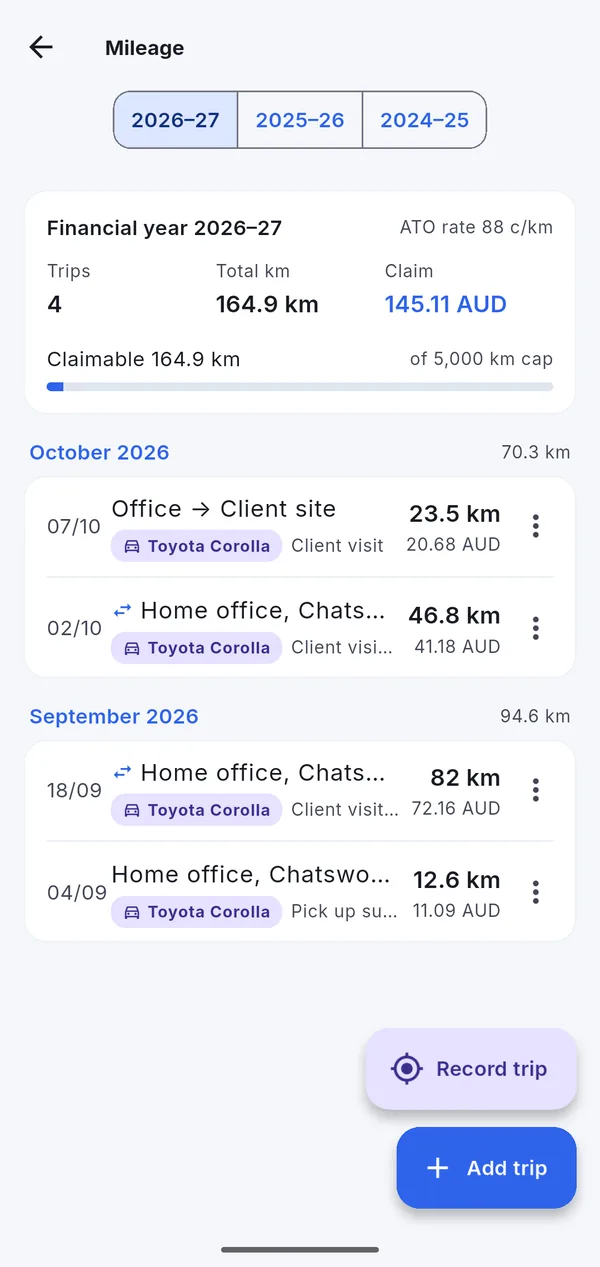
Record work trips with GPS or add them by hand. Kilometres are totalled per financial year and valued at the ATO cents-per-kilometre rate, capped at 5,000 km.
Invoices with a due date become bills. See what is due and overdue, get a reminder before the due date and swipe to mark them paid. Regular bills are spotted for you.
Snap a receipt, import a PDF, forward an email or just say what you bought — "fuel at Shell yesterday, $82.50, for work".
AI fills in the details and suggests a category. Glance over it, set business, personal or mixed use, and save. Linked categories file it into your tax return.
At tax time or each BAS quarter, open the report and share the PDF or CSV with your accountant — or export straight to Xero, QuickBooks or MYOB.
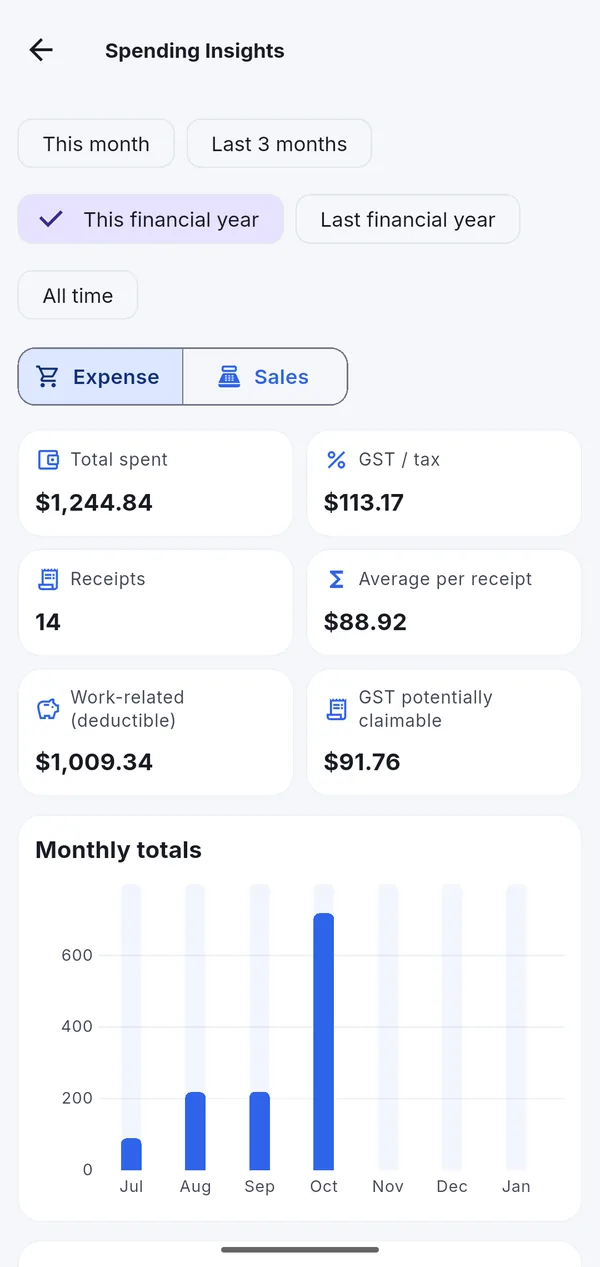
Everything you capture adds up into the reports that matter in Australia.
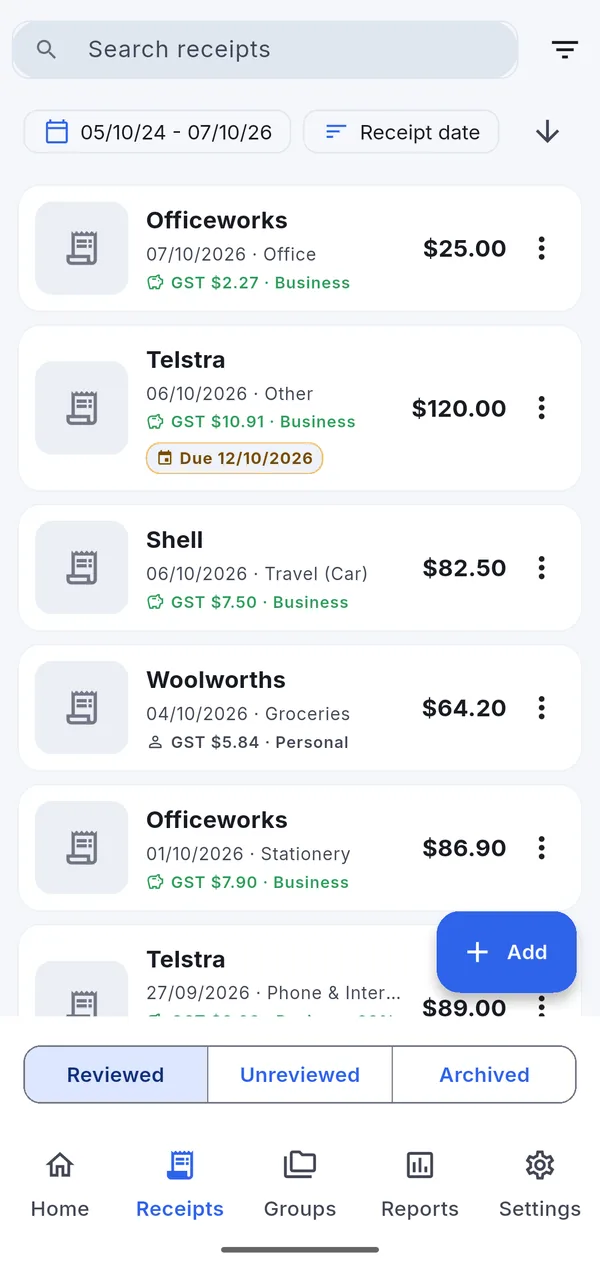
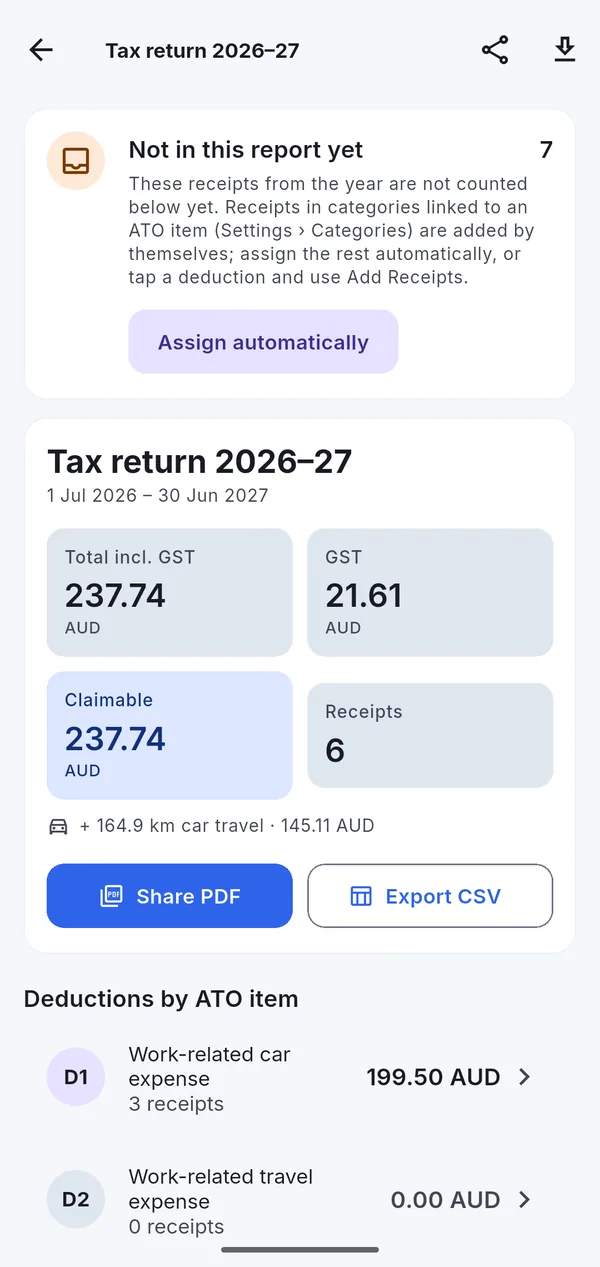
Tools, uniforms, home office, courses, phone and internet — captured on the day and filed under D1–D10 for your tax return.
Track every business purchase and the GST on it, see your BAS figures each quarter, and export bills to your accounting software.
Log car trips, fuel and phone costs, and keep the GST records you need from your first fare.
Split a Bunnings receipt between work and home, keep warranty details, and never lose a supplier invoice again.
Your data is never locked: whatever plan you are on, you keep everything you entered and can export it.
A$0
For getting organised.
A$39.99 / year
or A$4.99 a month. For anyone claiming deductions.
A$19.99 / 90 days
Everything in Tax Pro for tax time. No renewal.
Yes. The Free plan includes unlimited manual entry, storage, search, bills, insights and CSV export, plus 10 AI receipt scans every month. Tax Pro (A$39.99 a year or A$4.99 a month) adds unlimited AI scans, report PDFs, accounting exports and an email address for receipts.
Yes. The ATO accepts digital copies of receipts as long as they are a true and clear copy of the original. Intelligent Receipt keeps the photo or PDF with every receipt so you have the record if you are ever asked. How long to keep receipts.
Receipts, photos and PDFs are stored in Amazon Web Services data centres in Sydney, Australia. Everything travels over encrypted HTTPS connections and receipt files are encrypted at rest. You can download everything or delete your account at any time. See our privacy policy.
No. Intelligent Receipt organises your records and estimates what may be deductible from the category and work-use percentage you set. Your registered tax agent makes the final call.
Intelligent Receipt is coming to Google Play and the App Store. Want to be one of the first to try it? Email us and we will let you know the day it is live.